
MARIA LUISA ENGELS
Business Sketchnotes
Ready to turn your ideas into digital visuals you can reuse, and share?
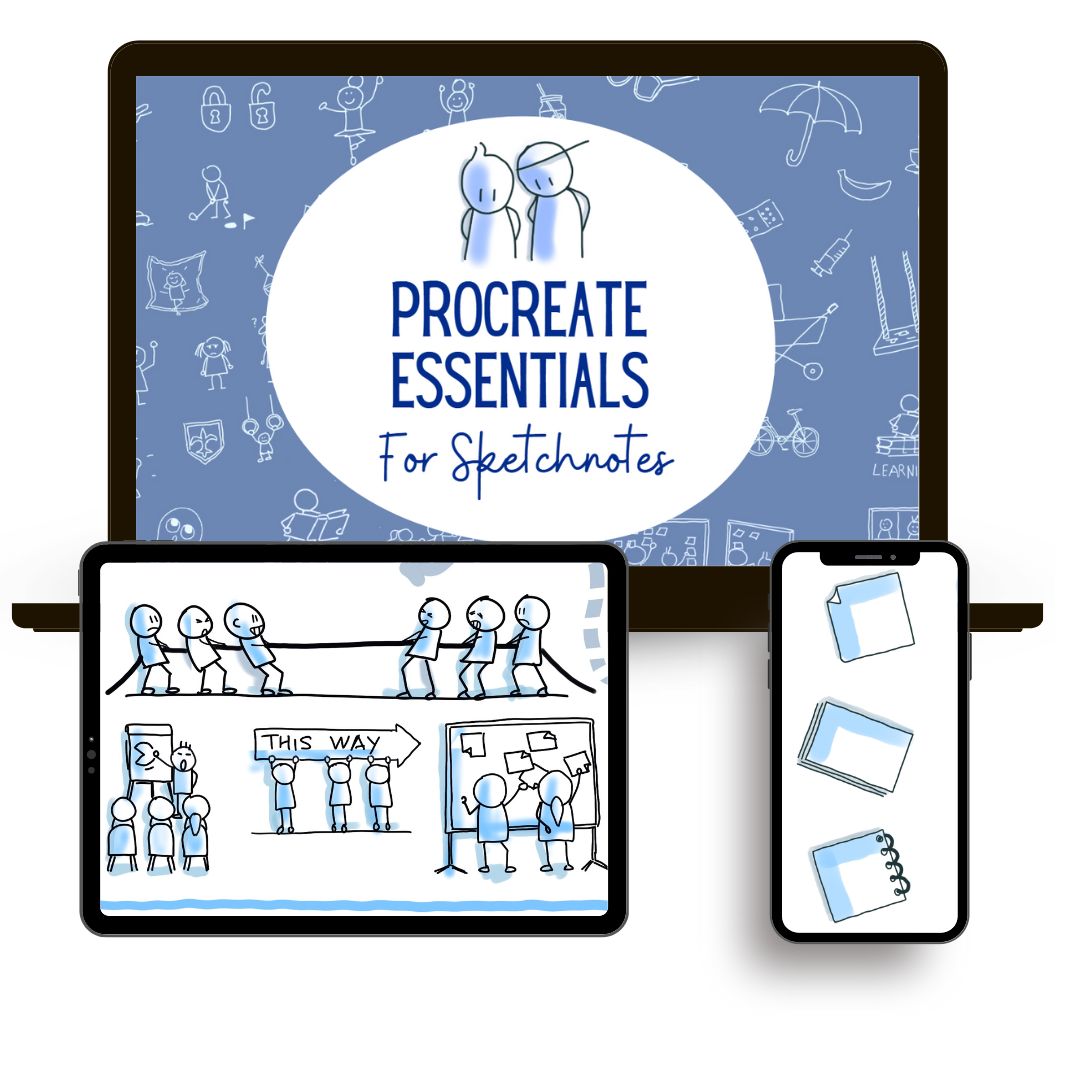
Procreate Essentials for Sketchnotes
Join "Procreate Essentials"
The fast-track course to help trainers, coaches, create reusable professional digital hand-made visuals on your Ipad without tech overwhelm, even as a beginner.
Create polished visuals and save time with every sketch!
You’ve got ideas worth sharing, so why does going digital feel so frustrating?
Maybe you’re just starting out. Or you’ve sketched on paper and now want to go digital.
You’ve opened Procreate, but the menus and features feel confusing and overwhelming.
Nothing seems made for the kind of work you do.
Or maybe you're stuck redrawing the same visuals again and again on paper.
You’ve taken photos of your notes, but the quality isn’t good enough.
You end up bouncing between paper, screenshots, and Canva, wasting time and still not getting visuals that look clean and professional.
Sound familiar?
Are you...
spending too long redrawing visuals on paper because you can’t edit them?
overwhelmed by Procreate's menus and don’t know where to start?
frustrated by low-quality scans or photos of your notes?
loving sketchnotes but scared to draw live in front of others?
unsure how sketchnotes can help you connect with others?
Now, imagine if you could take your complex ideas and own content and explain them easily, no more feeling stuck, no more overcomplicating things.
What if I tell you that ...
whether you're a coach, trainer, teacher, manager, or creator you can learn to create messages that stick and are visually appealing and unique.
You just need to know where to start.
Build confidence using your iPad to create digital visuals without tech overwhelm.
Create clean, professional sektchnotes that help your audience focus and remember
Save time by editing, adapting, and combining elements instead of redrawing from scratch
Reuse your visuals across platforms like PowerPoint, Canva, PDFs, Miro, Zoom whiteboards, and more
You might be wondering ...
What if I’ve never used Procreate or drawn digitally before?
Will I be able to follow if I’m not “techie”?
Do I need a lot of time to learn this?
Will my visuals look professional enough to use at work?
Can I really create something reusable, or will I always be starting from scratch?
The biggest mistake?
Doing nothing and staying stuck on paper.
By avoiding the switch to digital, you miss out on a faster, cleaner, more flexible way to share your ideas—
one that saves time, looks professional, and reflects your unique style.
But how can this course really help you and your business?
“Procreate Essentials for Sketchnotes” removes all hesitation. It gives you a clear, simple path to start using Procreate, without getting lost in menus or overwhelmed by features.
You’ll learn the tools and workflows that matter for sketchnoting. No full app tour, no artistic training, just the technical skills you need to go digital with confidence.
It helps you stand out with visuals no AI tool can create. You create hand-drawn sketches that reflect your voice, so you stay authentic and human in an AI-saturated world.
You know how to transform your own content into clean, editable visuals that look professional, feel personal, and are easy to adjust.
Even after just one hour, you’ll feel confident using Procreate, ready to sketch, refine, and share directly from your iPad.
What makes this course different?
"Procreate Essentials for Sketchnotes" is a practical, beginner-friendly course focused 100% on helping professionals go digital, without tech overwhelm or artistic pressure.
You won’t learn the whole Procreate app. Instead, you’ll follow a clear, simple path to use just the tools and workflows that matter for creating professional, editable visuals on your iPad.
This course doesn’t teach you how to draw, but it gives you the technical confidence to start sketching digitally right away using your own ideas, notes, and content.
With over 2,500 professionals trained in visual work, this course is designed especially for coaches, trainers, and content creators who want practical, reusable visuals for presentations, workshops, or social media.
You'll skip the fluff, avoid overwhelm, and finally make Procreate work for the way you work.
Here are some of the things that are possible after this course:
You’ll open Procreate and know exactly what to do. No more confusion or clicking around.
You’ll save time by working with editable elements. Duplicate, rearrange, or repurpose your visuals across platforms and apps.
You’ll create clean, professional looking digital visuals
You'll learn the technical skills to create hand-drawn visuals AI can’t replicate.
Stop relying on boring powerpoints or flipcharts only.
Once you know the workflow, you can create professional digital, editable visuals for any content quickly and with confidence.
Look professional
Create clean, polished digital visuals that elevate your message and make your work stand out.

Save time
Reuse and adapt your visuals across presentations, slides, and platforms; no more starting from scratch

Truly yours
Draw your own hand-made visuals that reflect your personality and can’t be replicated by algorithms.
How does it work?
“Procreate Essentials” is a self-paced comprehensive actionable online video course which includes short pre recorded sessions in 2 Modules.
The course follows a structured step by step approach that you can implement to your work and has a length of 66min.
Modules
Here is what is inside the course waiting for you!
Getting Started
In this module you will Set up your iPad and explore the key features including:
Install and access
Menu bar and main tools
Add text, apply color, and choose your favorite brushes
Import fonts to personalize your visuals
Working with Layers
Learn to structure and organize your sketches effectively:
Understand how layers work and how to group them
Change background colors and add shadows
Build compositions using layers and figures
Share your visuals and draw live on Zoom or Teams from your iPad
You’ll learn just what you need to create clean, digital sketchnotes that look professional and are ready to use anywhere!
What is Procreate
Procreate is a popular drawing app made just for the iPad. It’s used by millions of creatives, designers, illustrators, and everyday professionals, because it’s powerful, fast, and surprisingly easy to use.
Unlike more complex tools like Adobe Illustrator, Procreate is intuitive and made for touch.
You can draw by hand, edit, move things around, add color, and export your visuals, all with just your iPad and Apple Pencil.
In this course, you’ll learn exactly what you need to create clean, professional visuals for your work, without needing to explore every feature in the app.
But wait!
This is not all.
Amazing Bonuses!

Bonus 1:
How to digitize your own handwritting
Bonus 2:
How to print your visuals
on flipchart
Real results from real beginners:
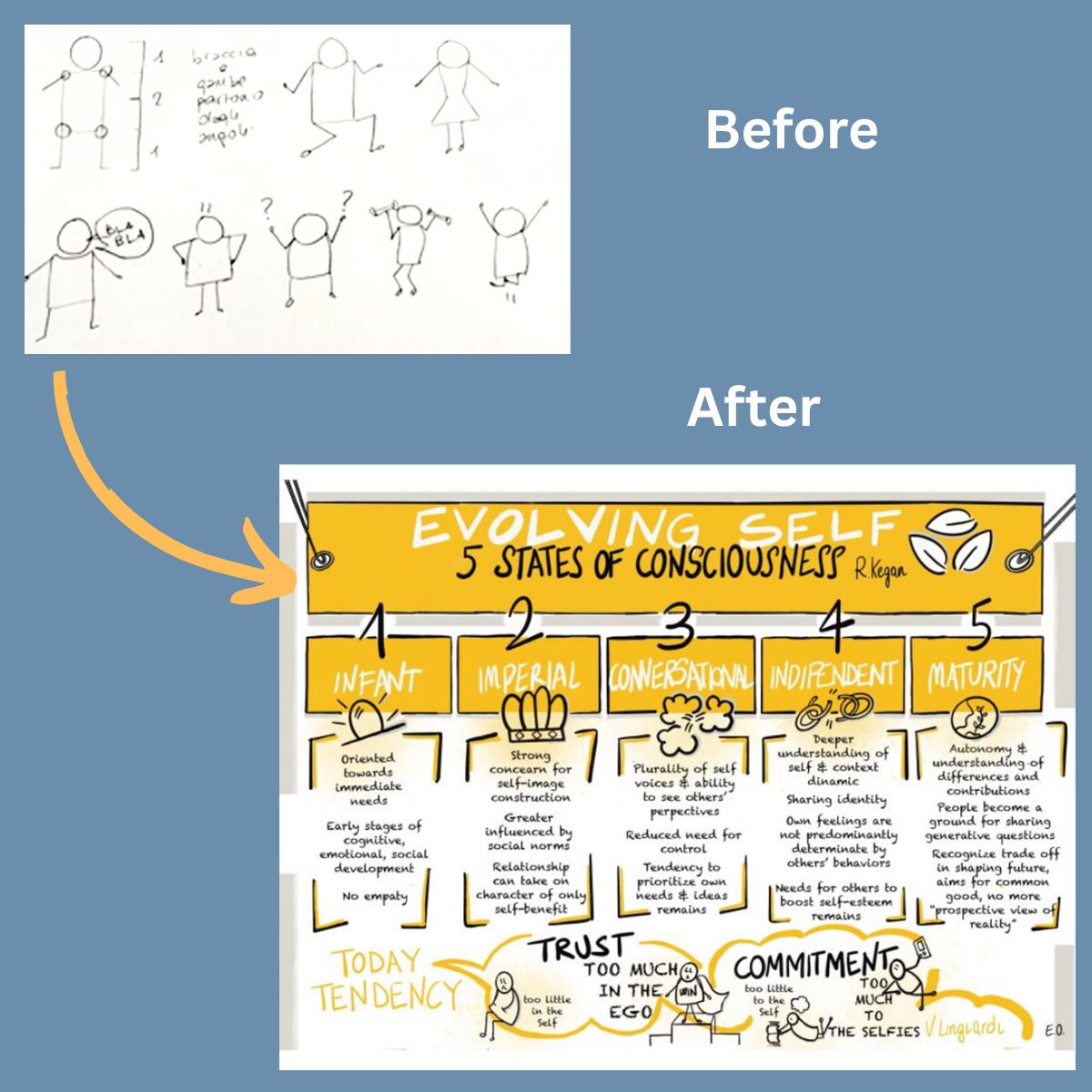
"In this course I learned how to start with sketchnoting. Now I use them in client presentations and on LinkedIn and they actually look like me"
ERIKA OMENETTO,
Behavioral Corporate Strategist
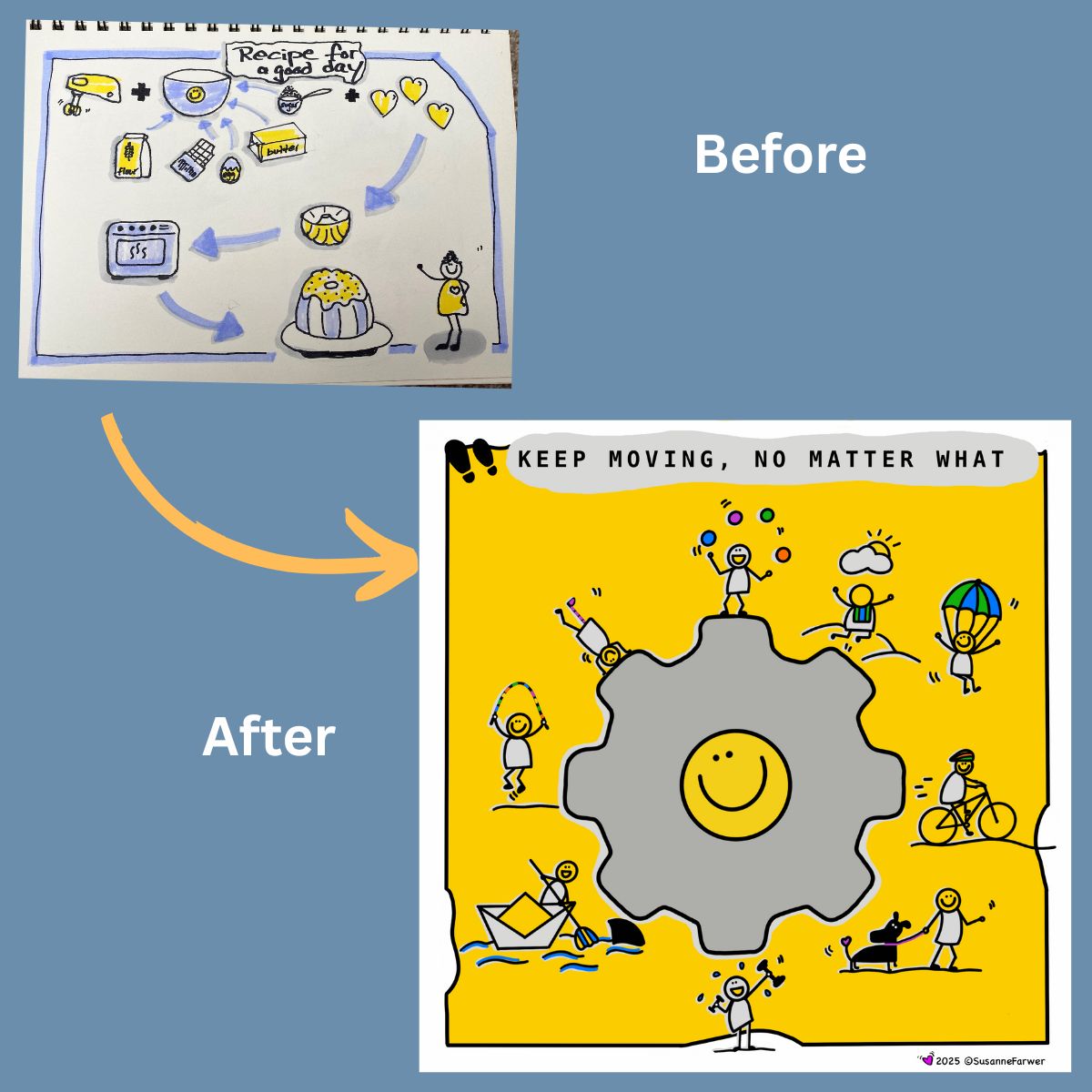
"This course was an investment in my skills, confidence, and happiness. I didn’t need to feel ready; I just needed to begin."
SUSANNE F.
Pharmaceutical Physician
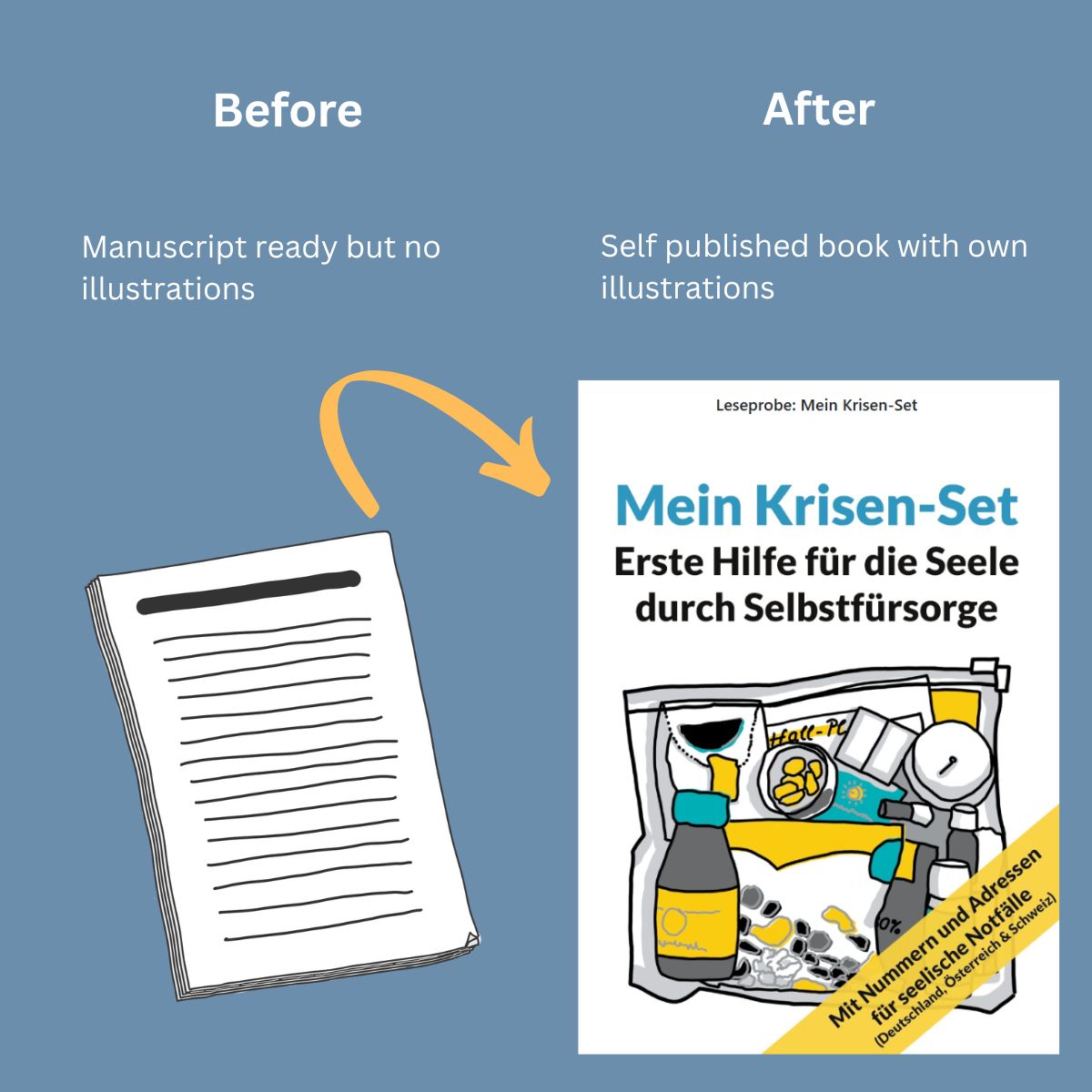
"Four designers rejected my book (too personal). I almost gave up. Then I joined the course, picked up my iPad, and for the first time, I felt I could do it. Now my book is published, illustrated entirely with my own digital drawings."
SABINE MUSSELECK,
Mental Health First Aider
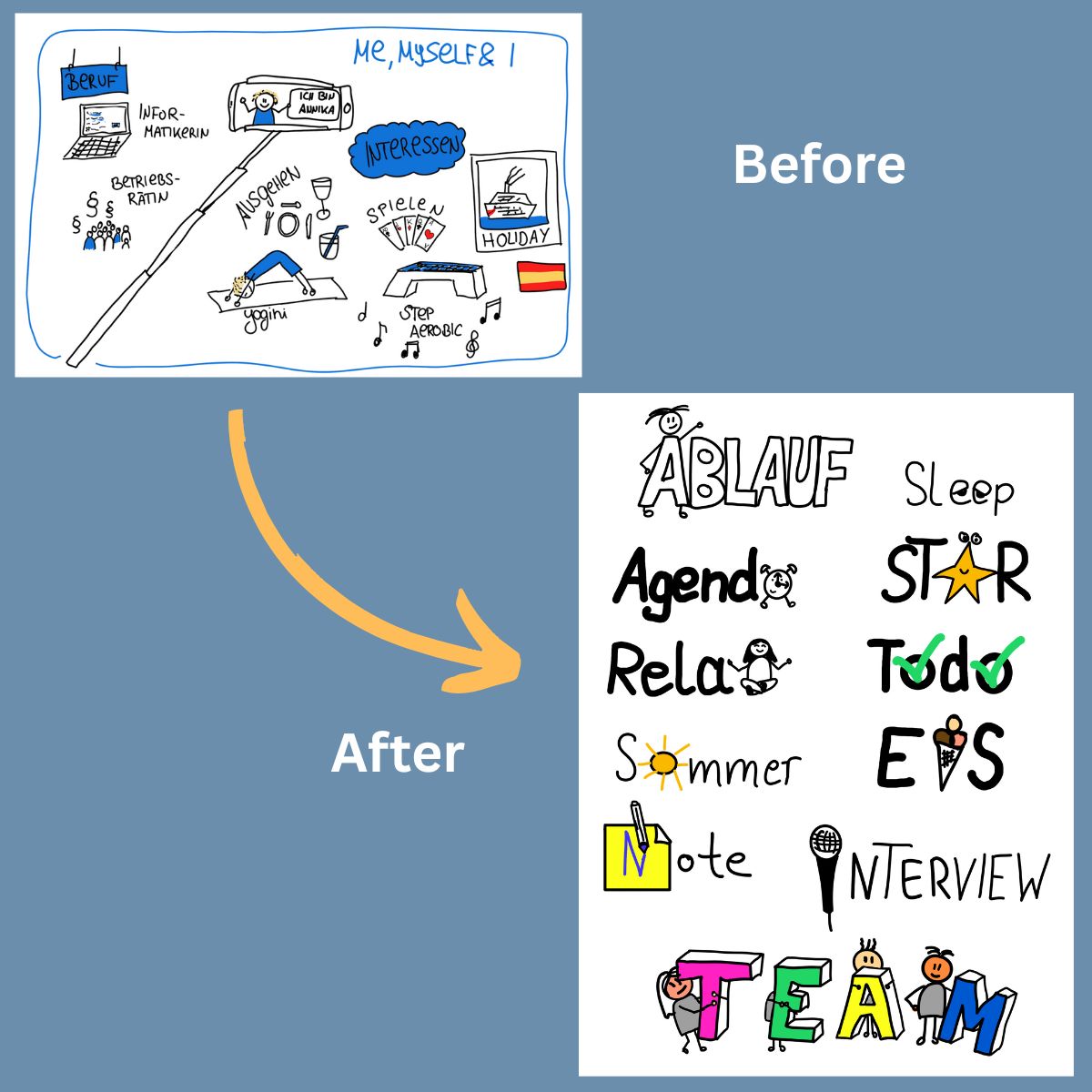
"Before the course, my visuals were basic. Now I create polished sketchnotes with Procreate, use them in my coaching, and feel more confident and creative than ever."
ANNIKA OSTER.
Systemic Coach

Hi, I'm Maria Luisa!
And I know exactly how you feel
because I’ve been there when I started my business as a trainer and coach.
Five years ago, I had no customers and knew nothing about sales.
Then the pandemic hit, and I had to quickly adapt to virtual training and become visible on LinkedIn.
I began sharing content and looking for ways to keep attention high during my sessions. That’s when I stumbled upon visual notes online. It was new and fascinating to me. I instantly loved it and saw how useful it could be in long online sessions.
At first, I felt excited like a kid exploring creativity but also full of doubt, wondering if I could draw messages clearly, pick the right images, and make sure people understood them.
My early sketches were messy, and I hesitated to show them, thinking they weren’t good enough. But when I finally started sharing, the reaction was more positive than I expected—even when the sketches weren’t perfect because they were simple and clear.
That gave me confidence and a huge energy boost.
I took courses, learned techniques, and gradually improved. As I got better, my self-doubt faded, and my audience grew.
Eventually, people asked if I could teach them, which led to my first Sketchnotes Course, with over 500 participants and a vibrant community.
Five years after I started, more than 48,000 people follow my work. I’ve published four books on sketchnotes and have taught over 1,900 professionals like you how to use them effectively at work.
Today, sketching brings me joy, and it creates real value for my clients. It’s both creative and practical.
I believe most people are creative, even if they don’t realize it as we all drew as children.
I’m here to help you use sketchnotes to enrich your coaching, meetings, presentations, or branding and make your work more engaging and distinctive.
If I can do it, you can too!
With this course you get:
2 Module Curriculum
2 modules that you can do at your own pace with exercises so you can apply the content to your work right away.
1 Year Platform Access
1 year access to the platform which includes all the recordings and content so you can review everything plenty of times
Bonus 1: How to digitize your own handwritting
Turn your handwriting into a reusable digital asset to personalize your sketchnotes and speed up your workflow.
Bonus 2: How to print your visuals on flipchart
Learn how to scale and print your digital visuals for offline use, perfect for workshops, meetings, and in-person sessions.
117€
+ VAT
(Join the course and get instant access.)
FAQ
Bonus 3: A Complete Course Workbook
What is Procreate?
Procreate is one of the most popular and highly rated digital drawing apps.
It’s used by millions of creatives, from hobbyists to professionals, because it offers a powerful set of tools while still being intuitive and easy to use.
Compared to other drawing apps Procreate strikes the perfect balance. It’s professional-grade, yet approachable, even for beginners.
Procreate is optimized for the Apple Pencil. You draw directly on the screen with full control and precision.
You can create high-quality, hand-drawn visuals, organize them in layers, adjust elements easily, and export them in formats that work across tools like PowerPoint, Canva, Zoom, or Miro.
It’s a favorite among digital artists and visual professionals for a reason, and in this course, you’ll learn exactly how to use just the features you need, without feeling overwhelmed.
How does the course work?
The course takes place online on a private learning platform. The videos are short teaching videos and exercises. You can start and pause whenever you want and the philosophy is to explore the platform as you watch.
Who is this course for?
This course is for beginners who want to use Procreate to create clean, professional visuals, without the overwhelm.
It’s designed for coaches, trainers, and professionals who struggle with the app’s many features, waste time redrawing or switching between tools, and simply want a straightforward way to create reusable visuals for work.
If you’re looking for advanced illustration or artistic techniques, this course is not for you.
What if I can not draw? Can I still benefit from the course?
No problem. This course doesn’t teach drawing; it teaches you the technical skills to use the app with ease. You’ll learn how to create clean, professional visuals without needing any drawing experience.
Is Procreate a free app?
No, Procreate is a paid app.
It’s a one-time purchase from the App Store (no subscriptions or hidden costs).
Once you buy it, you own it for life. As of now, it costs around 13.99€ / $12.99, depending on your location.
Which materials do I need?
Because Procreate only runs on Ipad, to take this course, you’ll need an iPad that works with the Apple Pencil, plus the Apple Pencil itself.
How to make sure your device is compatible?
Most recent iPads will work, including the iPad Pro, iPad Air (3rd gen and up), iPad (6th gen and up), and iPad mini (5th gen and up).
If you’re not sure about your model, a quick Google search like “Is my iPad compatible with Apple Pencil?” will tell you.
How long do I have access to the course?
I'm offering it for ONE FULL YEAR. This way, you'll have the perfect reason to dive in right away and start enjoying the benefits.
ONE YEAR gives you enough time to watch the content as many times as you want.
Is there a money back guarantee?
"Procreate Essentials" is an online digital product with immediate access.
By purchasing, you agree that the contract begins immediately and that you lose your right of withdrawal once access is given.
For that reason, refunds cannot be issued after access has been provided.
How much time do I need to invest?
For the pre-recorded lessons you will need an average of an hour, an hour and a half a week to be able to watch and draw them in real time. And of course as much time as you want to spend practicing, the more the better. But remember that you have access to the material, the recordings and the bonuses for a whole year.
Imagine…
You’re not digging through stock libraries or taking photos of paper notes anymore.
You open your iPad and your visuals are already there.
You’ve turned your own content into digital sketchnotes that are clean, personal, and ready to use.
You reuse them across slides, whiteboards, PDFs, or social posts, without starting from scratch.
And yes, they look like you made them. Because you did.
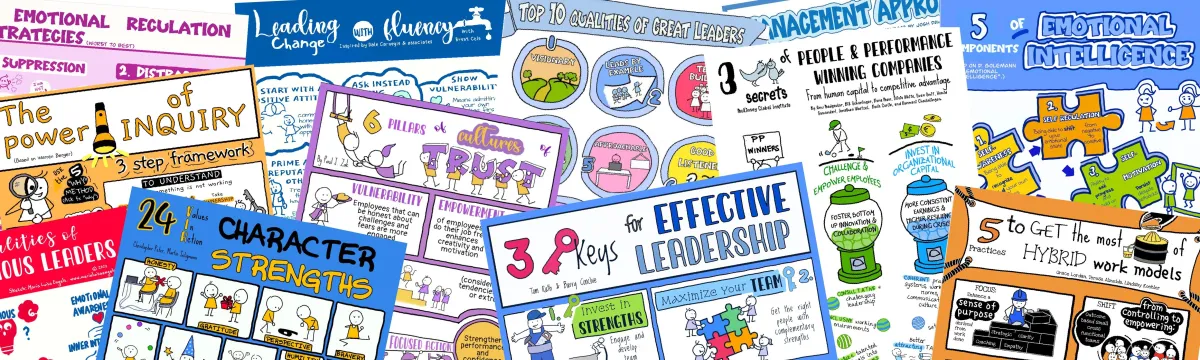
With a bit of practice, this is what becomes possible:
Three months from now, you could still be stuck redrawing on paper…
Or you could be creating professional, reusable digital visuals with confidence.
You could be opening your iPad, sketching with ease, and sharing visuals that reflect your message—and your personality.
This is your window to finally go digital without tech stress. The tools are here.
Now it’s your move.
Say yes to a smarter, faster, more personal way to share your ideas.
See you inside the course!
Don't wait any longer and secure your spot!
Join now for only 117€!
(Plus VAT)